
Move from request to performance
Sales, sourcing and project teams initiate, negotiate and execute in one flow.
CONTRACT LIFECYCLE · CONNECTED CONTROL
Control every contract from draft to audit
Connect business, legal, finance and management teams through one contract record covering governed drafting, collaborative review, approval, signature, obligations, payments, renewals and audit-ready archiving.
PRODUCT POSITIONING
Go beyond document storage by organizing parties, clauses, approvals, signatures, obligations, invoices, payments, amendments and risks into one operational record shared by every accountable role.
Sales, sourcing and project teams initiate, negotiate and execute in one flow.
Use clause rules, version differences and review history to direct attention.
Connect contract value, schedules, invoices and actual financial status.
Analyze contracts by entity, type, amount, status and risk.
Archive documents, attachments, approvals, signatures and performance proof.
CONTRACT LIFECYCLE · TEN CONNECTED STEPS
Each step defines inputs, ownership, authority and evidence. Completing a system task does not itself satisfy a contract obligation; accountable people and integrated services still authorize signatures, payments, acceptance and legal judgment.
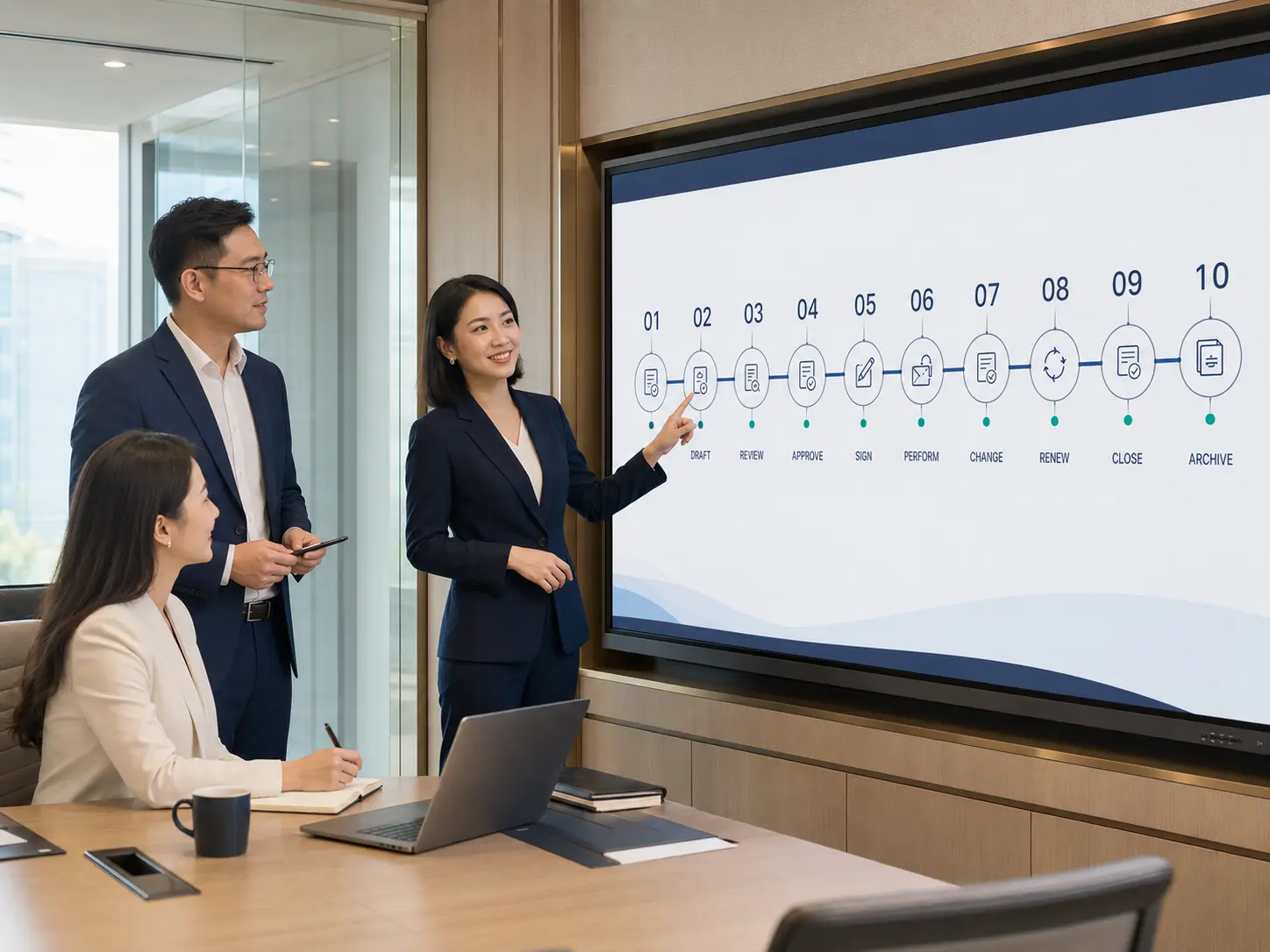
Capture the purpose, budget, entity, counterparty and context.
Use governed templates, clauses and variables for the first draft.
Confirm counterparties, contacts, credentials and prior relationships.
Manage revisions, comments, attachments and negotiation positions.
Route by entity, type, amount and configured risk conditions.
Connect seal or e-signature work and track order and status.
Assign the contract number and retain documents and evidence.
Plan delivery, acceptance, invoicing, receivables and payables.
Link amendments, value changes, renewals and terminations.
Confirm outcomes and preserve a complete audit-ready record.
REQUEST & AUTHORING
Call governed templates, clauses and fields by agreement type, legal entity and business scenario so the purpose, budget, signing party and material conditions are clear before review begins.
Manage scope, version, effective dates, mandatory and fallback language.
Reuse entity, counterparty, project, amount, tax and settlement data.
Apply traceable rules by organization, type, year and sequence.
Trigger reconfirmation when material fields change during authoring.

REVIEW & NEGOTIATION
Collaborative review connects business context, legal opinion, counterparty responses, text revisions and resolution status in one version chain instead of scattered email, chat and local files.

Clause review: compare mandatory, restricted and fallback clauses against the selected agreement type, entity and risk policy. The system highlights configured issues; accountable legal counsel makes the final judgment.
Connect advice, responses, evidence and status to exact text locations.
Retain authors, timestamps, differences and confirmation outcomes.
Route high-risk items to accountable legal or management owners.
APPROVAL & SIGNATURE
The workflow engine routes review by entity, agreement type, amount, department, project and risk, then transfers the approved text into company seal or e-signature execution.
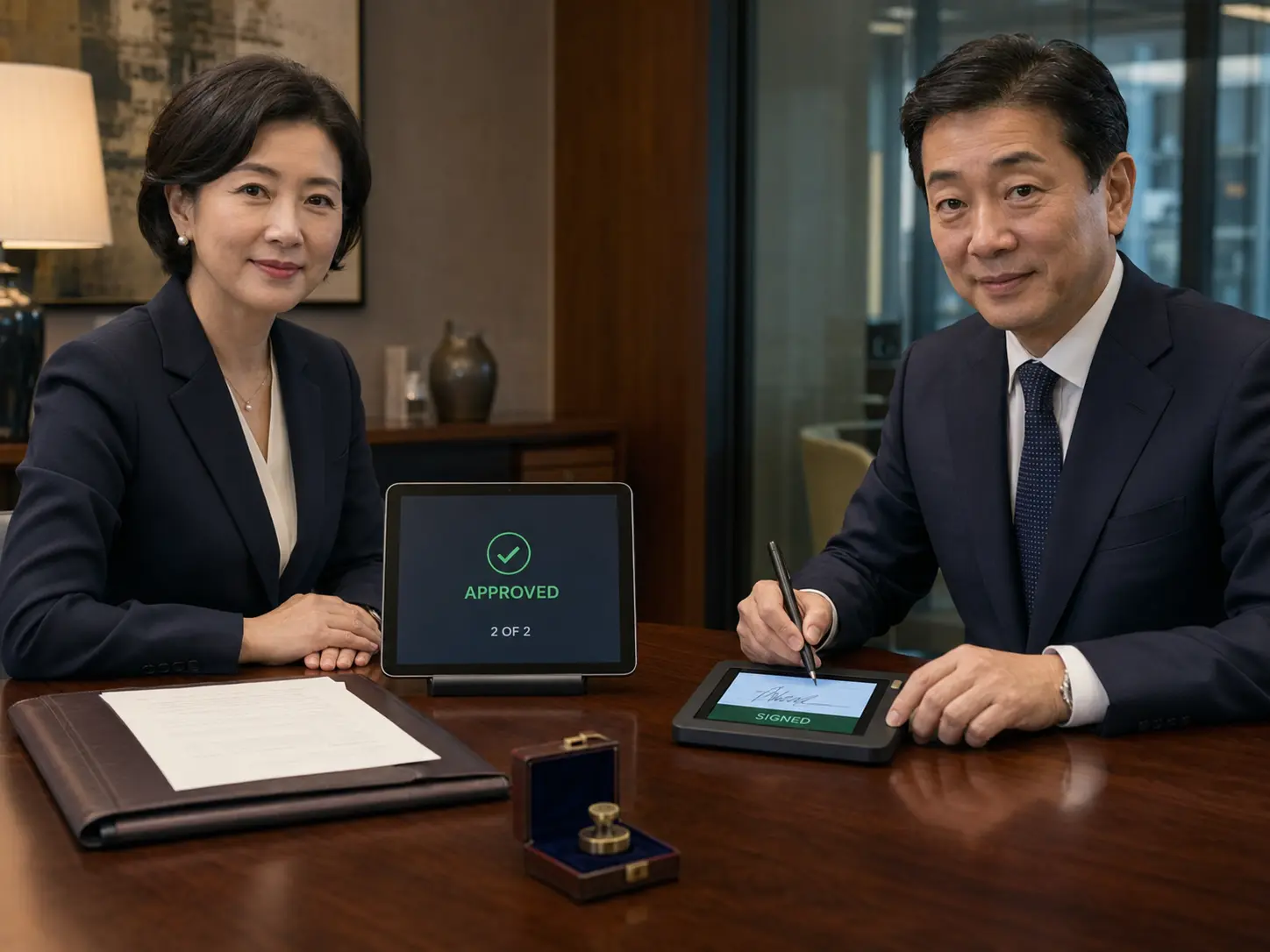
Support sequential, parallel, branching, added review and escalation.
Lock approved text and require reconfirmation after a material change.
Manage signers, order, identity, seal requests and status callbacks.
Retain signed documents, certificates, timestamps and activity history.
OBLIGATION PERFORMANCE
Convert delivery, acceptance, invoicing, receivables, payables, notice and renewal requirements into owned milestones linked with orders, evidence and exceptions.

Delivery and acceptance: assign each milestone to an owner, due date and evidence requirement, then connect completion, rejection and exception records.
Connect deliverables, logistics status and supplier ownership.
Record criteria, outcomes, evidence and exception decisions.
Match contract, order, acceptance, tax and invoice data.
Send evidence to the finance source system and synchronize status.
RISK & RENEWAL
Move clause deviations, approval exceptions, overdue obligations, expirations and renewals into queues with clear owners, deadlines, evidence and closure outcomes.
Configure required clauses, restricted terms, amount thresholds and conditions.
Warn before delivery, acceptance, invoices, payments, notices and expiry.
Assign accountable owners, due dates and closure evidence by impact.
Link amendments, renewals, rescissions, terminations and prior versions.
Clause recognition, risk scoring and automated prompts are based on configured enterprise rules. They do not replace professional legal judgment or constitute legal advice.

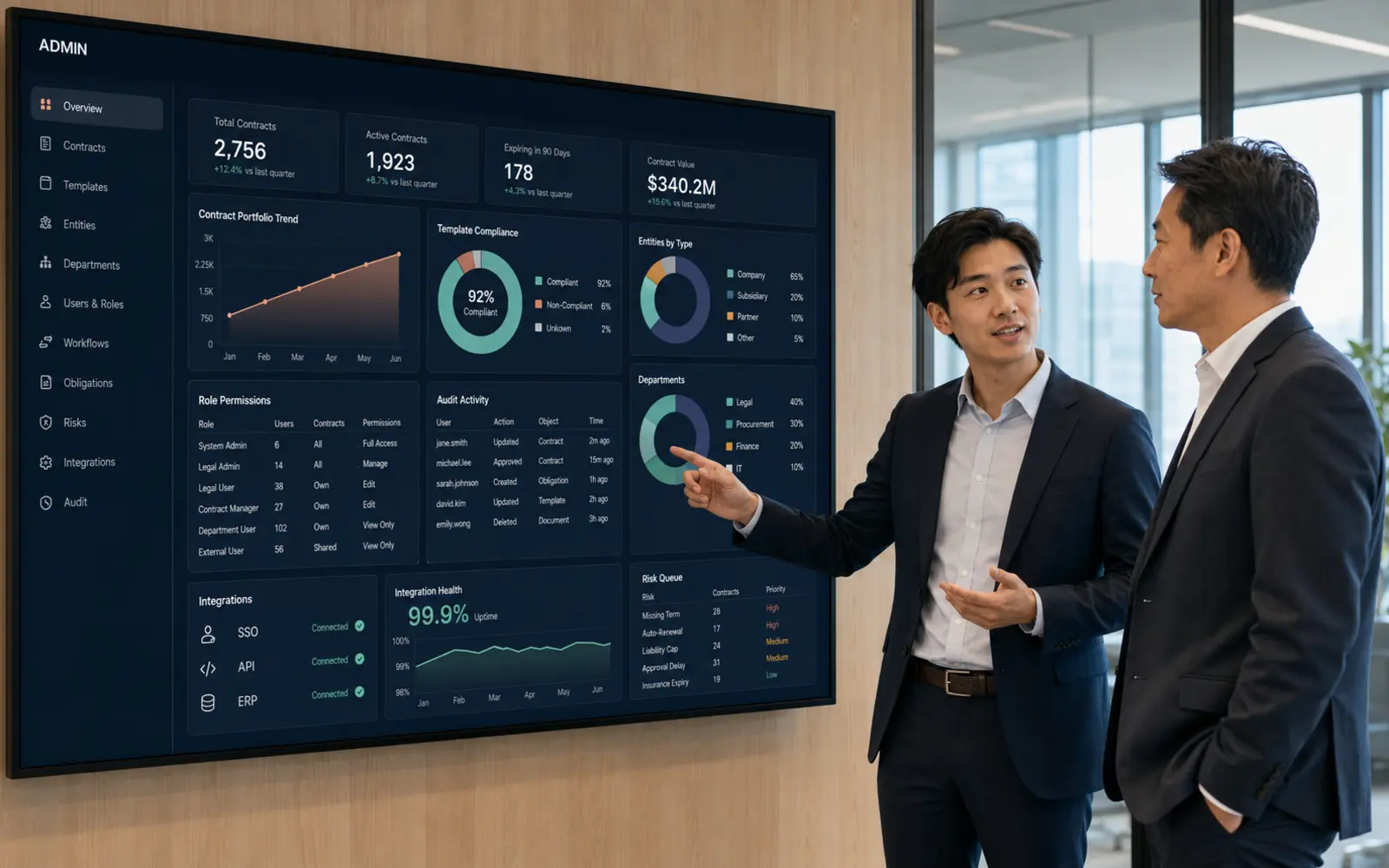
CLM OPERATIONS · ADMIN CONSOLE
The console goes beyond dashboards to govern templates, clauses, workflow rules, access, master data, risk queues, integrations, interface exceptions and audit logs.
APPLICATION SCENARIOS
Begin with one team or agreement type, then expand around current ERP, finance, sourcing, CRM, e-signature and records systems while keeping their accountability boundaries clear.
Link quote, signature, delivery, acceptance, invoice and collection.
Connect requisition, order, receipt, acceptance, invoice and payment.
Manage project delivery, phased acceptance, changes and closeout.
Track rent, deposits, handover, maintenance, renewal and return.
Reuse templates while each entity retains approval, seal and data scope.
Link master agreements, work orders, limits and consumed value.
The platform provides workflow, data, configured prompts and evidence management. It does not replace legal judgment, finance approval, trust services or authorized signature, seal and acceptance decisions.
All organizations, people, counterparties, contract numbers, values, dates, risk counts and operating metrics shown on this page are fictional demonstrations, not customer results or legal conclusions.
It can connect to an enterprise e-signature provider and manage signers, order, status callbacks and evidence. Identity and certificate capabilities depend on the integrated service.
Yes. Conditional branches, parallel approvals, added reviewers and escalation can be configured by entity, agreement type, amount, department, project and risk level.
Interfaces can connect payment schedules, invoices, orders and accounting references. The actual scope depends on current systems and data definitions.
Contract data and attachments can be imported through governed templates or interfaces with field mapping, validation and exception handling.
View, edit, download, approve and export access can be governed by organization, role, agreement type, project and individual contract, with activity logs retained.
No. The system provides configured prompts and assistance, while authorized professionals remain accountable for final legal judgment.
BUILD A CONTROLLED CONTRACT LIFECYCLE
Connect policy, workflow and performance data in one executable, traceable and audit-ready contract operation system.