
Balance Service and Stock Risk
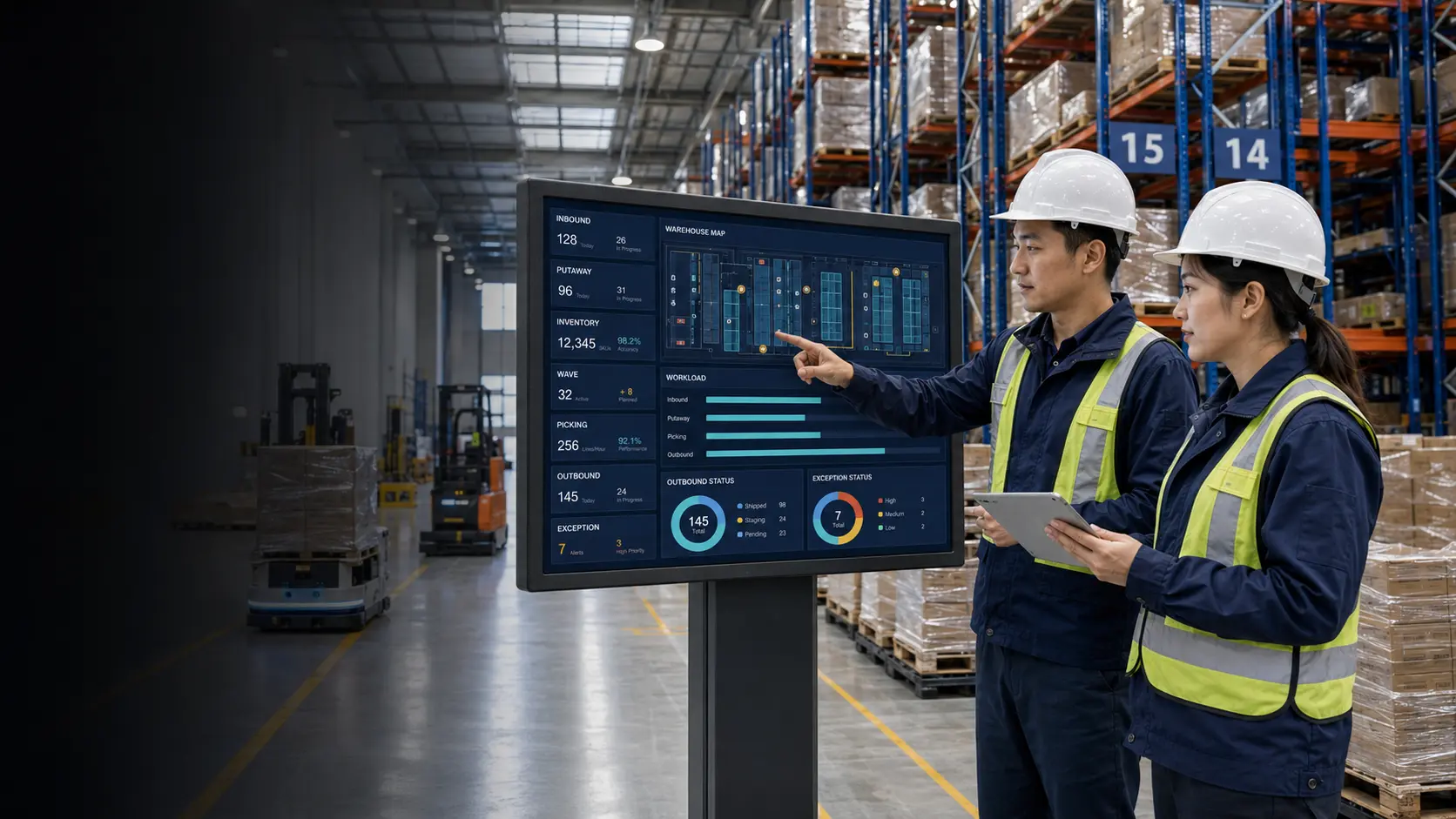
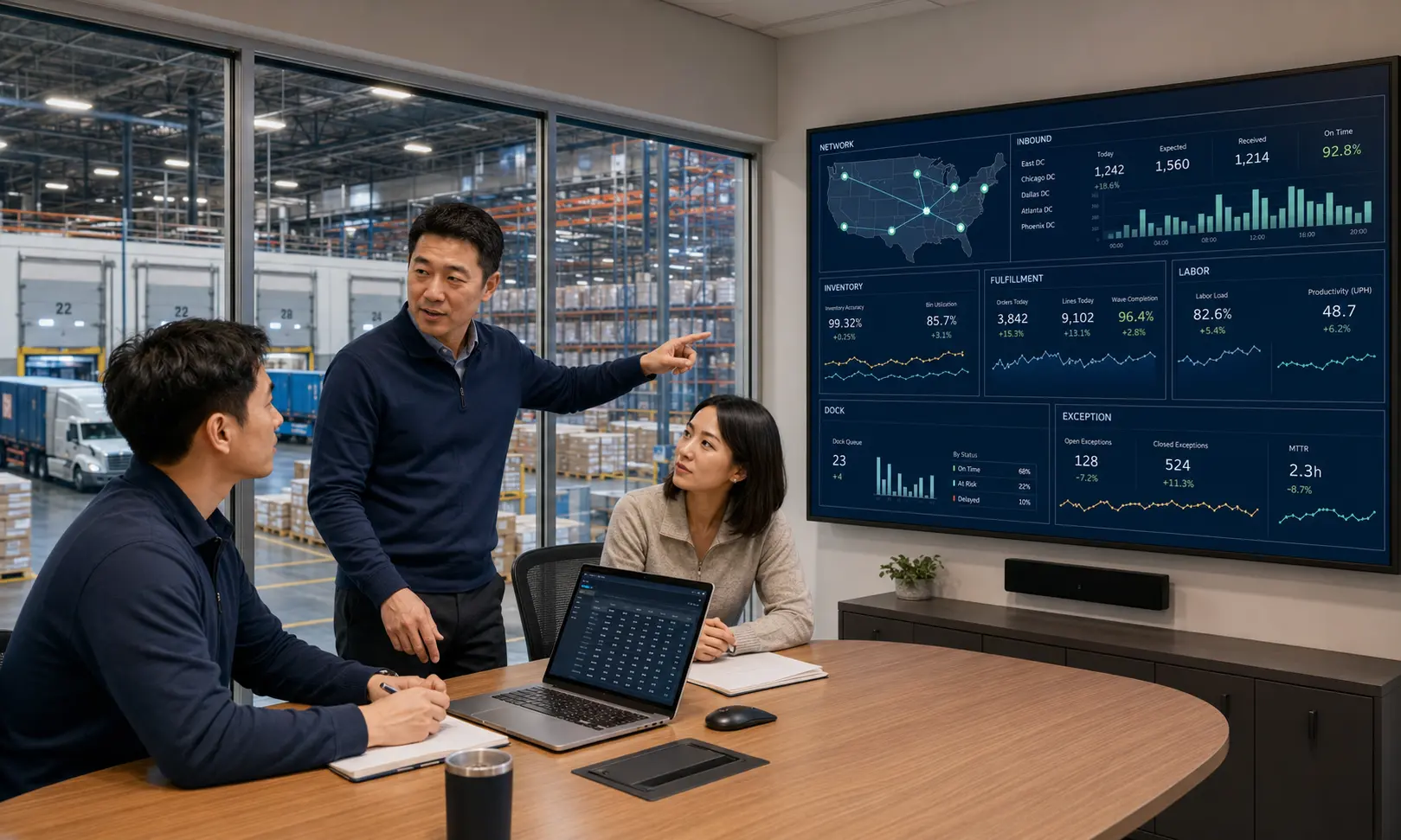
Review inbound, inventory, outbound, space, labor, and backlogs in one view.
CONNECTED WAREHOUSE EXECUTION · WMS CONTROL TOWER
Connect orders, stock, locations, people, and automation in one fulfillment flow
Built for manufacturing, retail, e-commerce, and 3PL warehouses, the platform receives demand from ERP, OMS, MES, and TMS, then connects receiving, putaway, replenishment, picking, packing, loading, cycle counting, and automation tasks.
PRODUCT POSITIONING
WMS is not a collection of stock inquiry screens. It receives upstream documents, organizes warehouse tasks, controls floor execution, and supports evidence-backed inventory results, giving warehouse, supply chain, quality, production, logistics, automation, and IT teams one stock truth.
Review inbound, inventory, outbound, space, labor, and backlogs in one view.
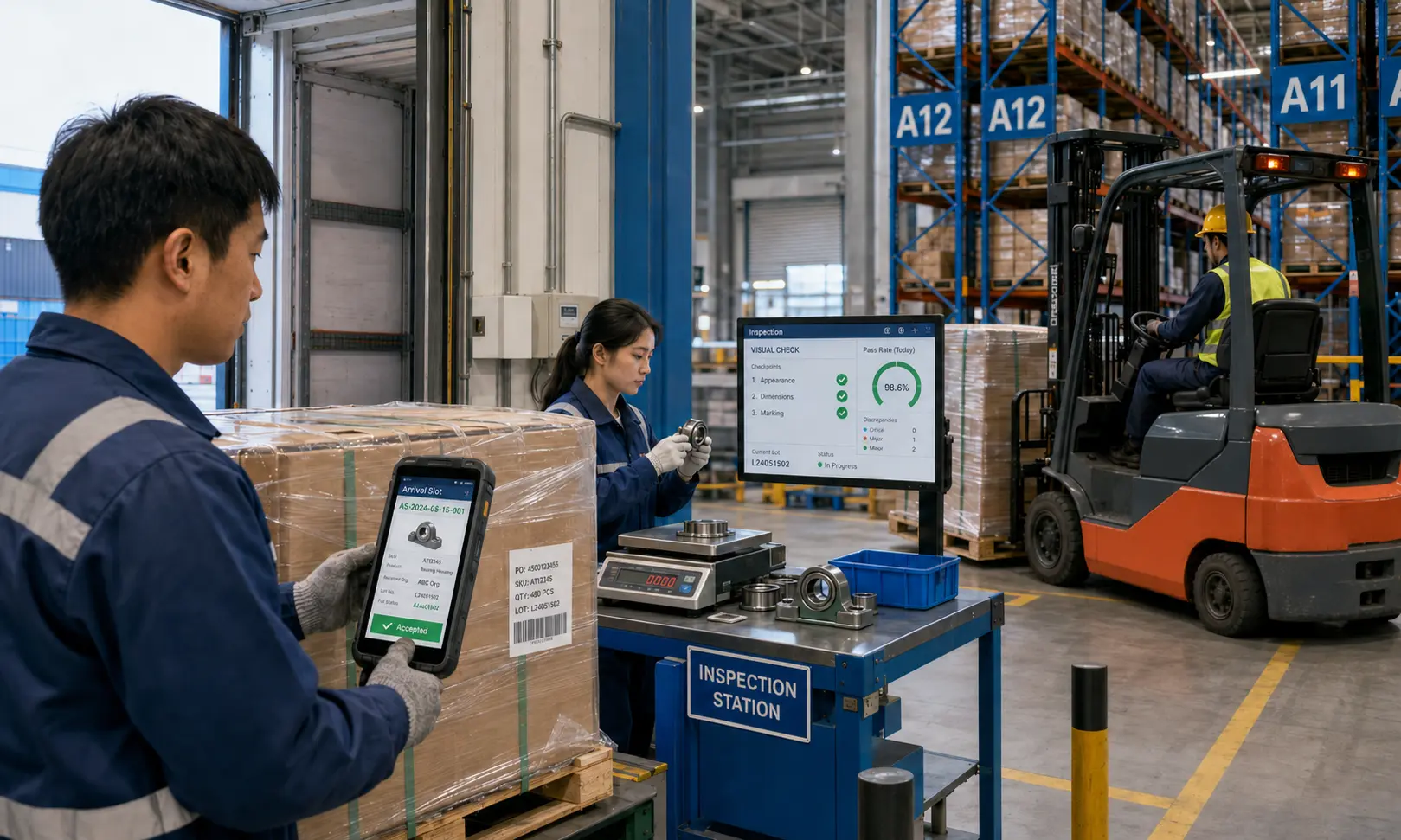
Align appointment windows, vehicles, docks, receiving tasks, and inspection routes.
Track order priority, allocation, work progress, and loading cadence.
Manage lots, serials, expiry, holds, inspection, counts, and adjustments.
Use handheld devices for receiving, putaway, moves, picking, checks, and counts.
Identify interface backlogs, equipment status, blocked tasks, and data sources.
Missed scans, wrong slots, duplicate tasks, delayed posting, and manual changes gradually separate system stock from physical stock.
Putaway, allocation, replenishment, and wave rules are scattered across spreadsheets and verbal instructions.
Interface, equipment, short-pick, and variance exceptions have no shared queue or controlled recovery path.
WAREHOUSE EXECUTION FLOW
Every step identifies the source document, work object, owner, prerequisite, scan evidence, and exception route. Completion still requires reconciliation of quantity, ownership, lot, quality status, and interface results.
Validate warehouse, owner, item, quantity, source document, and arrival window.
Check packaging, lot, expiry, and quantity, then route to inspection or exception zones.
Create tasks using zone, capacity, temperature, load, and commingling rules.
Maintain location, ownership, lot, serial, expiry, and quality status.
Reserve inventory by order priority, status, lot, and rotation rules.
Organize pallet, case, each, zone, or batch picking and verify results.
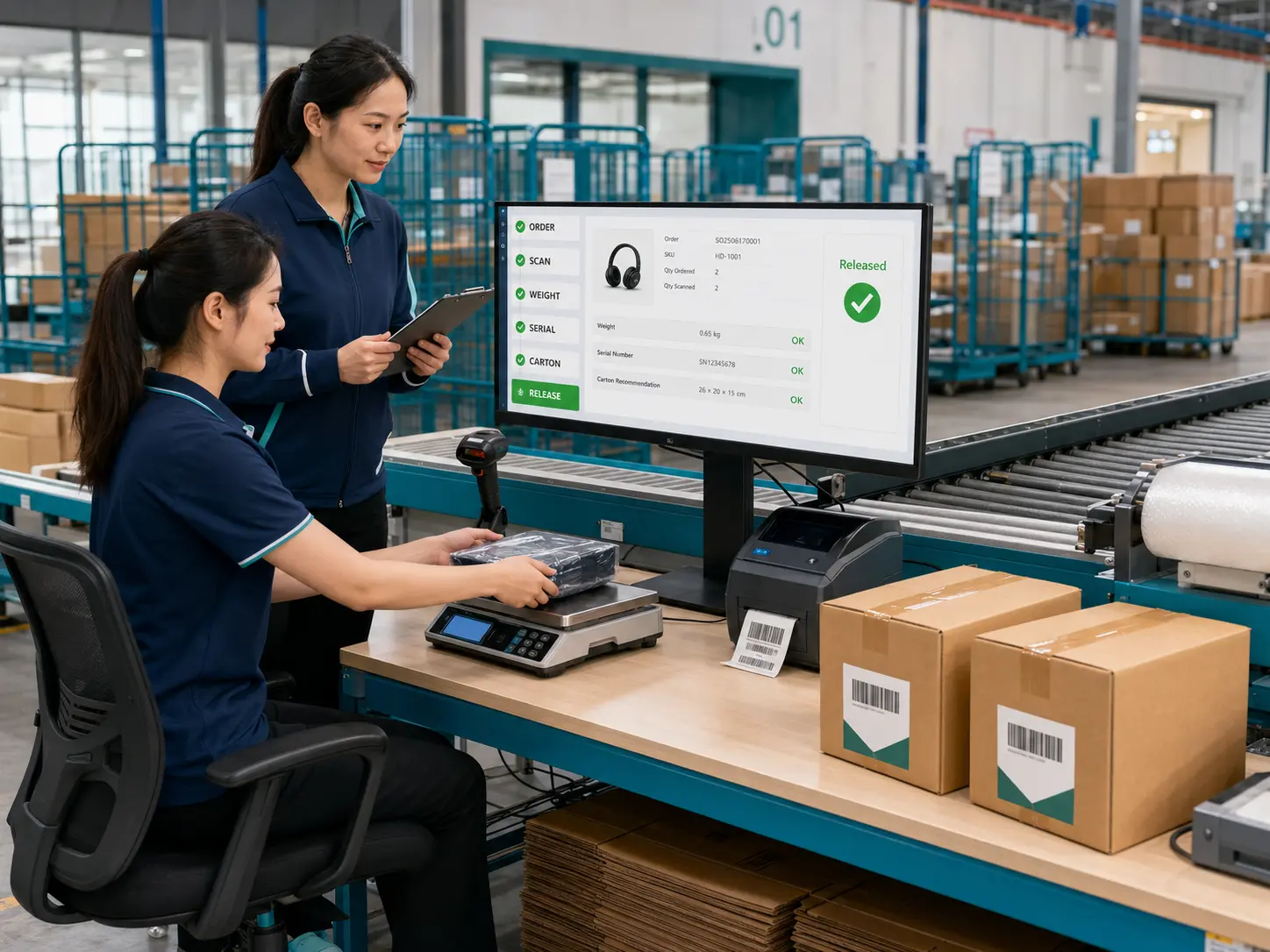
Link containers, weights, labels, staging lanes, docks, and vehicles.
Match stock deductions, shipment acknowledgments, short picks, and exceptions.
INBOUND & PUTAWAY
From appointments and check-in through unloading, receiving, inspection, and putaway, the platform continuously links source documents, vehicles, pallets, containers, lots, operators, and evidence so goods never lose their business context after entering the warehouse.
Sequence arrivals and unloading by window, vehicle, volume, and dock capacity.
Record barcodes, quantity, packaging, lot, expiry, weight, and variance source.
Recommend locations by owner, SKU, temperature, capacity, load, mixing, and rotation rules.
CONTROL POINTS
INVENTORY CONTROL
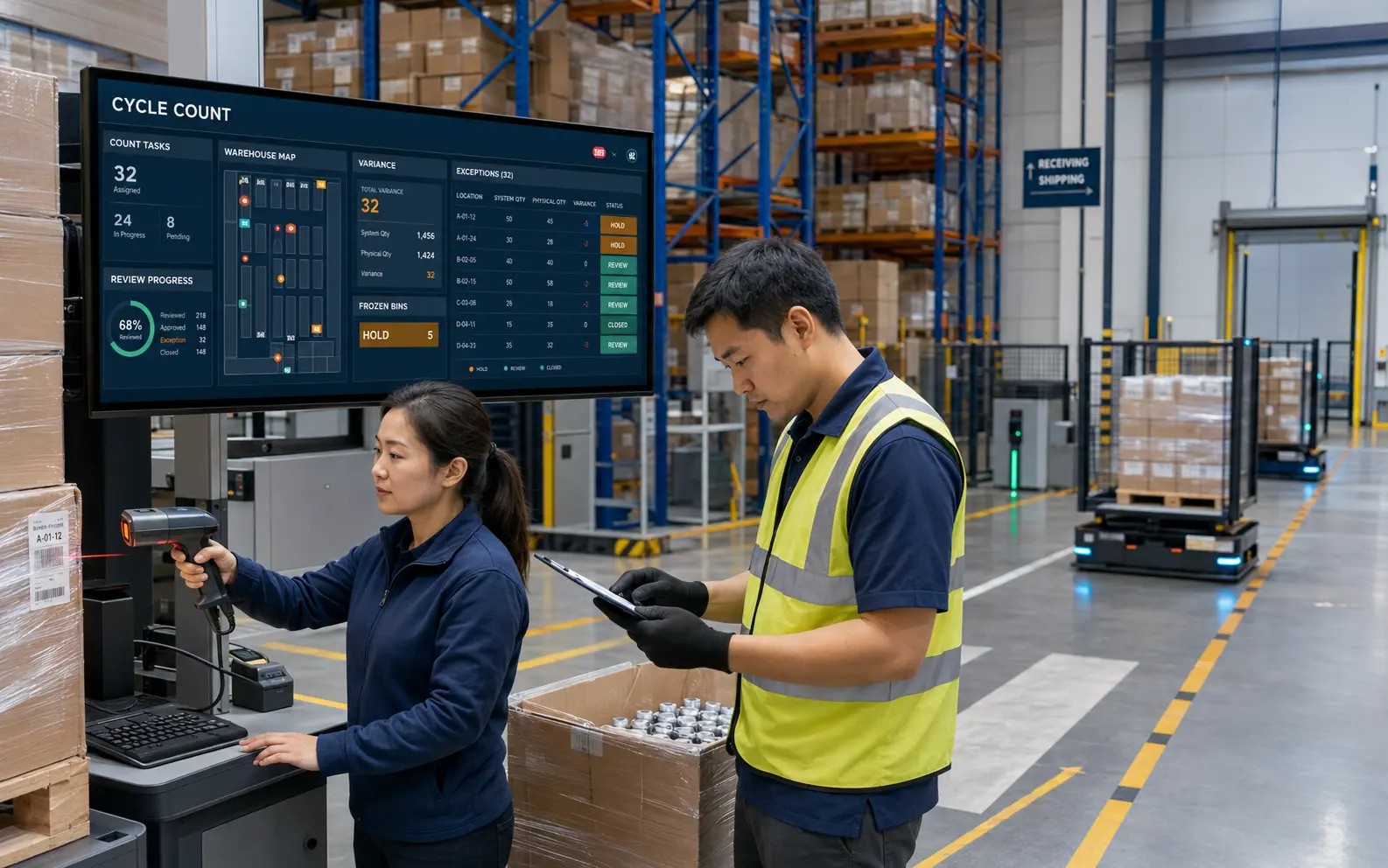
Inventory is more than quantity. It includes warehouse, zone, location, container, owner, lot, serial, expiry, quality status, hold reason, and allocation. Counts and adjustments create controlled records rather than overwriting original movements.
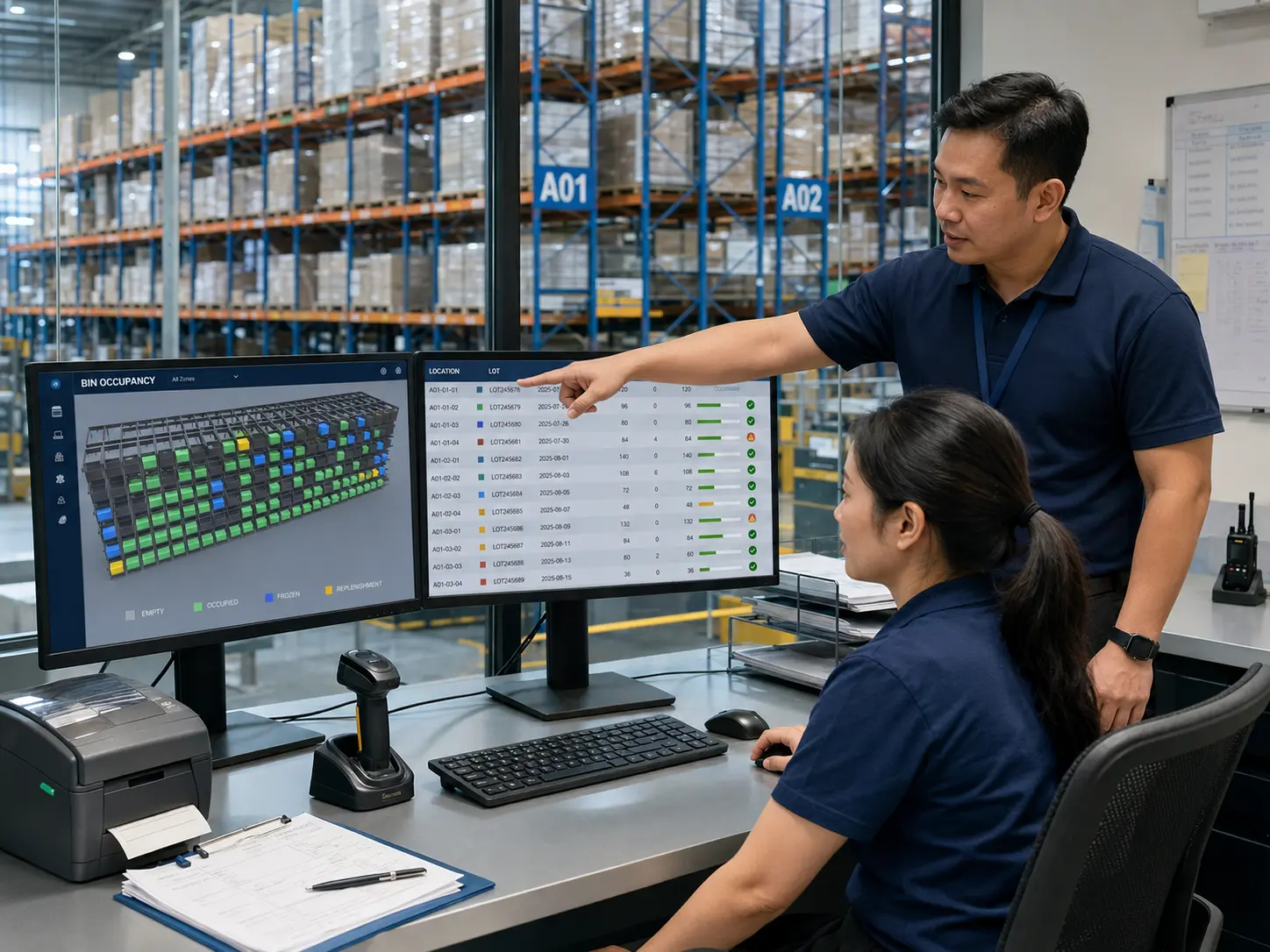
See items, containers, quantity, lots, owners, status, and recent work.
Use a lot, serial, or LPN to trace locations, orders, and status history.
Trace reservation, allocation, replenishment, picking, shortage, and release.
The system flags variance; authorized users release, scrap, or change status.
OUTBOUND FULFILLMENT
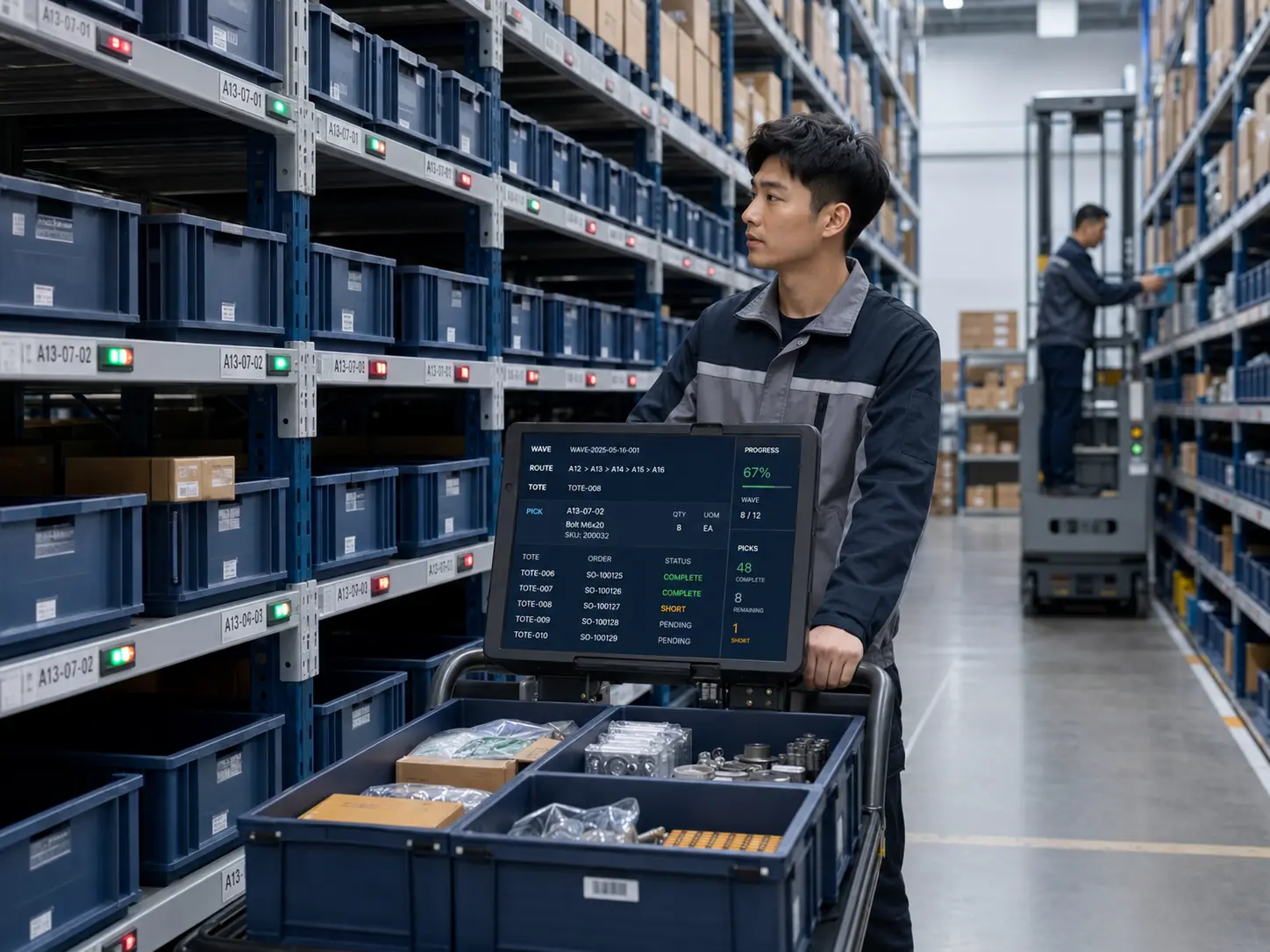
The platform validates order priority, inventory promise, and shipping conditions before organizing replenishment, waves, picking, checking, packing, staging, and loading. Short picks, substitutions, splits, and partial shipments follow permission rules with recorded reasons.
AUTOMATION & EXCEPTION LOOP
WMS orchestrates business tasks and inventory status. WCS or WES translates them into automation actions, while PLCs and equipment safety systems retain real-time control and safety interlocks. After recovery, task status is reconciled before work resumes to prevent duplicate moves or stock deductions.
An interface, device, terminal, rule, or operator raises the issue, and the floor confirms impact.
Pause tasks, hold stock, and switch to manual or backup channels under permission.
Reconcile container and task status to prevent duplicate work or missed posting.
Verify inventory, orders, equipment acknowledgments, and business system results.
WAREHOUSE RULE ENGINE
Configure execution rules around warehouses, owners, items, containers, statuses, strategies, effective scope, permissions, and evidence. Preserve group standards while supporting different facility types and fulfillment models.
Isolate warehouses, owners, organizations, stock, strategies, permissions, and services.
Match putaway, allocation, replenishment, waves, picking, and counts by condition.
Use pallets, totes, cages, and parcels as moving and handoff units.
Support FIFO, FEFO, and enterprise-defined lot and serial controls.
Connect handhelds, workstations, conveyors, WCS, WES, and AMRs.
Create a separate history by source order, item status, inspection, and disposition.
Find missing or conflicting order, stock, task, shipping, and device results.
Assist slotting, workload, and exception analysis without changing or releasing stock.
WMS OPERATIONS CONSOLE
The console goes beyond stock and orders. It governs network structure, master data, strategies, permissions, devices, interfaces, task queues, exceptions, audits, and KPI definitions so cross-warehouse comparisons use the same terms.
APPLICATION SCENARIOS
Start with a representative warehouse, product class, or inbound-to-outbound flow. Validate master data, barcodes, processes, terminals, equipment, interfaces, and acceptance criteria, then expand in line with warehouse differences.
Connect purchase receipts, production issues and returns, line-side supply, and finished goods shipping.
Unify priorities, waves, replenishment, zone picking, and carrier handoff.
Isolate stock, strategies, permissions, and client data while preserving service evidence.
Record temperature zones, lots, expiry, inspection, and rotation rules.
Manage substitutes, repair returns, holds, reinspection, and re-entry.
Connect conveyors, lifts, stacker cranes, shuttles, AMRs, and manual stations.
SYSTEM BOUNDARIES
WMS provides inventory, task, process, and evidence support. It does not directly assume real-time equipment control, safety interlocks, quality release, financial posting, or statutory responsibility.
ERP manages enterprise processes such as purchasing, sales, production, inventory value, and finance. WMS turns approved inbound and outbound demand into warehouse tasks, then returns receiving, inventory, picking, shipping, and variance results.
WMS manages inventory and warehouse business tasks. WES can coordinate people and automation, while WCS translates tasks into equipment actions. PLCs and device controllers remain responsible for real-time control and safety interlocks.
They require an assessment of barcode rules, operating systems, interface protocols, networks, and device condition. Usable terminals can be retained in phases and connected through interfaces, gateways, or workstations.
Yes. A representative warehouse, product class, or inbound-to-outbound flow can be selected first. Master data, processes, barcodes, terminals, interfaces, and acceptance criteria are validated before gradual expansion.
Yes. Owner isolation, lots, serial numbers, expiry dates, quality status, holds, FIFO, and FEFO can be configured by warehouse and business scope.
No. AI can assist with slot recommendations, workload forecasts, and exception classification. Inventory adjustments, hold releases, quality releases, and shipping exceptions still require authorized confirmation.
START WITH A CONTROLLED PILOT
Review the current ERP, OMS, MES, TMS, QMS, WCS, equipment, and network environment, then define warehouse objects, ownership, barcodes, strategies, responsibilities, permissions, evidence, KPIs, and system boundaries.