
Explain the request once
Choose a service, provide an address and time, then track worker, progress and care.

TRUSTED HOME SERVICE
Connect booking, dispatch, field delivery and customer care
Built for home service companies, multi-location providers and field teams, the platform connects service discovery, customer booking, workforce dispatch, arrival, service evidence, add-on consent, quality follow-up, after-sales handling and operations.
PRODUCT POSITIONING
The platform organizes people, time, addresses, skills, prices, quality and responsibility around real service orders. Customers know who is coming, when they arrive, what they will do and how charges work, while service teams know how to assign, deliver and resolve exceptions.
Choose a service, provide an address and time, then track worker, progress and care.
Handle inquiries, complete order details, explain pricing and manage changes.
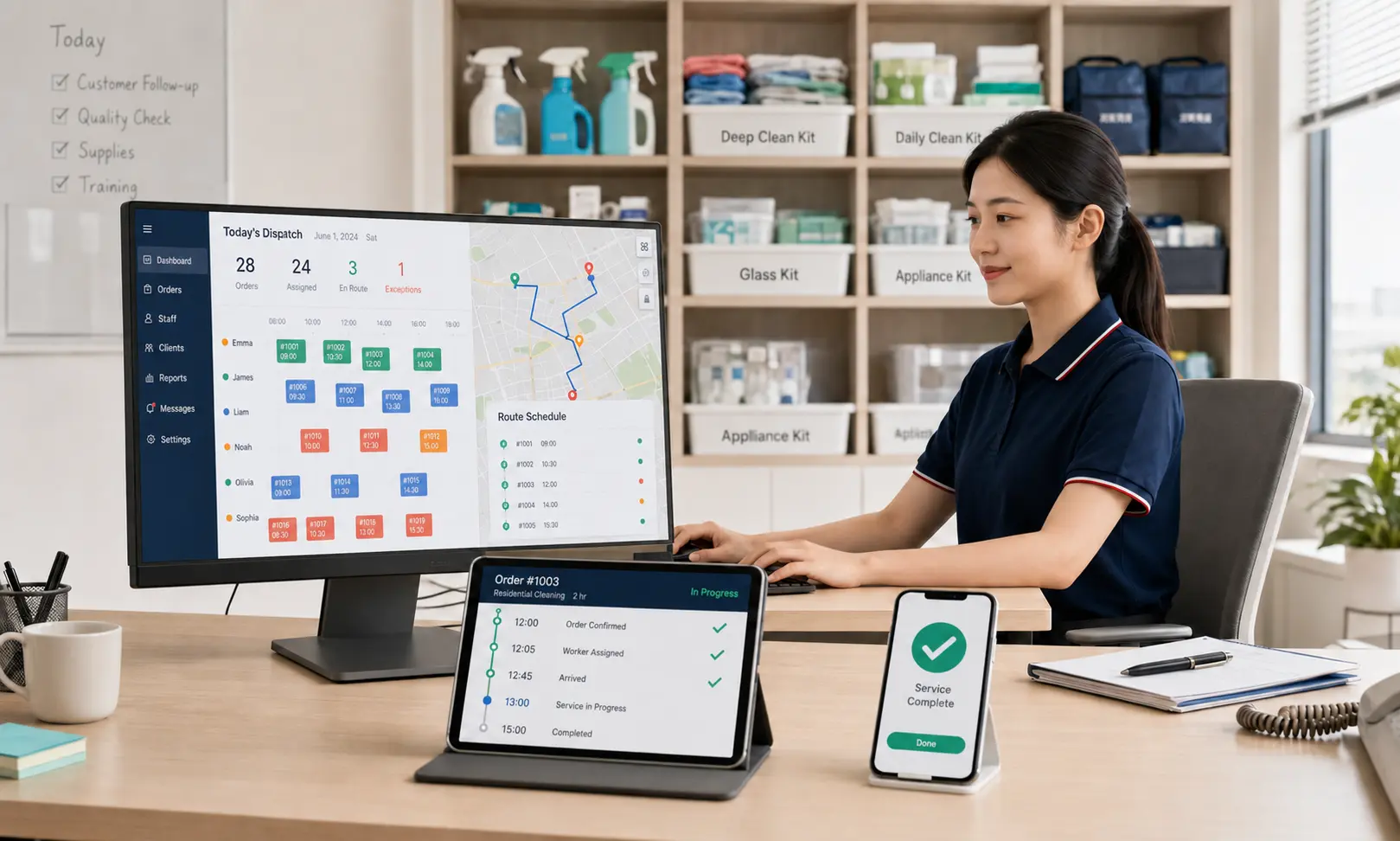
Assign using skill, zone, shift, travel, workload and conflict information.
Review address, task list and notes, then record arrival and work progress.
Use the order, service record and customer evidence for follow-up and resolution.
Analyze service, branch, worker, channel and zone, then reconcile settlements.
Area, materials, appliance model, condition and boundaries are not captured, causing repricing, rescheduling and complaints.
Skill, route and workload are invisible, so missed orders, conflicts, delays and cross-zone travel surface late.
Standards, changes, customer consent and after-sales evidence stay fragmented, making responsibility difficult to assess.
SERVICE FULFILLMENT LOOP
Each step defines the people, service object, status, necessary evidence and exception route. The system coordinates and records work, while the responsible service entity remains accountable for field safety, professional judgment and outcomes.
Explain scope, pricing, expected duration, restrictions and customer preparation.
Capture address, area, material, appliance, images, contact and special requests.
Show availability using coverage, capacity, service duration, shifts and travel.
Compare skill, distance, shift, workload and exclusions before human approval.
Notify the customer and confirm the request, environment and boundary on site.
Check in, follow the task list, record key steps and escalate exceptions.
Capture approval and add-ons, routing issues to rework, compensation or refund.
Review quality by service type and retain preferences for the next booking.

CUSTOMER BOOKING
The customer journey answers four questions: what service is needed, whether it fits, how pricing works and when someone can arrive. Fixed, quantity-based and assessment-first services are explained separately instead of hiding every condition behind a starting price.
Show inclusions, exclusions, tools, materials, estimated duration and preparation.
Cleaning captures area, appliance service captures models, and organization captures goals.
Calculate bookable windows from capacity, duration, worker shifts and travel.
Surface acceptance, assignment, departure, arrival, service, confirmation and care.
ROLE & DISPATCH
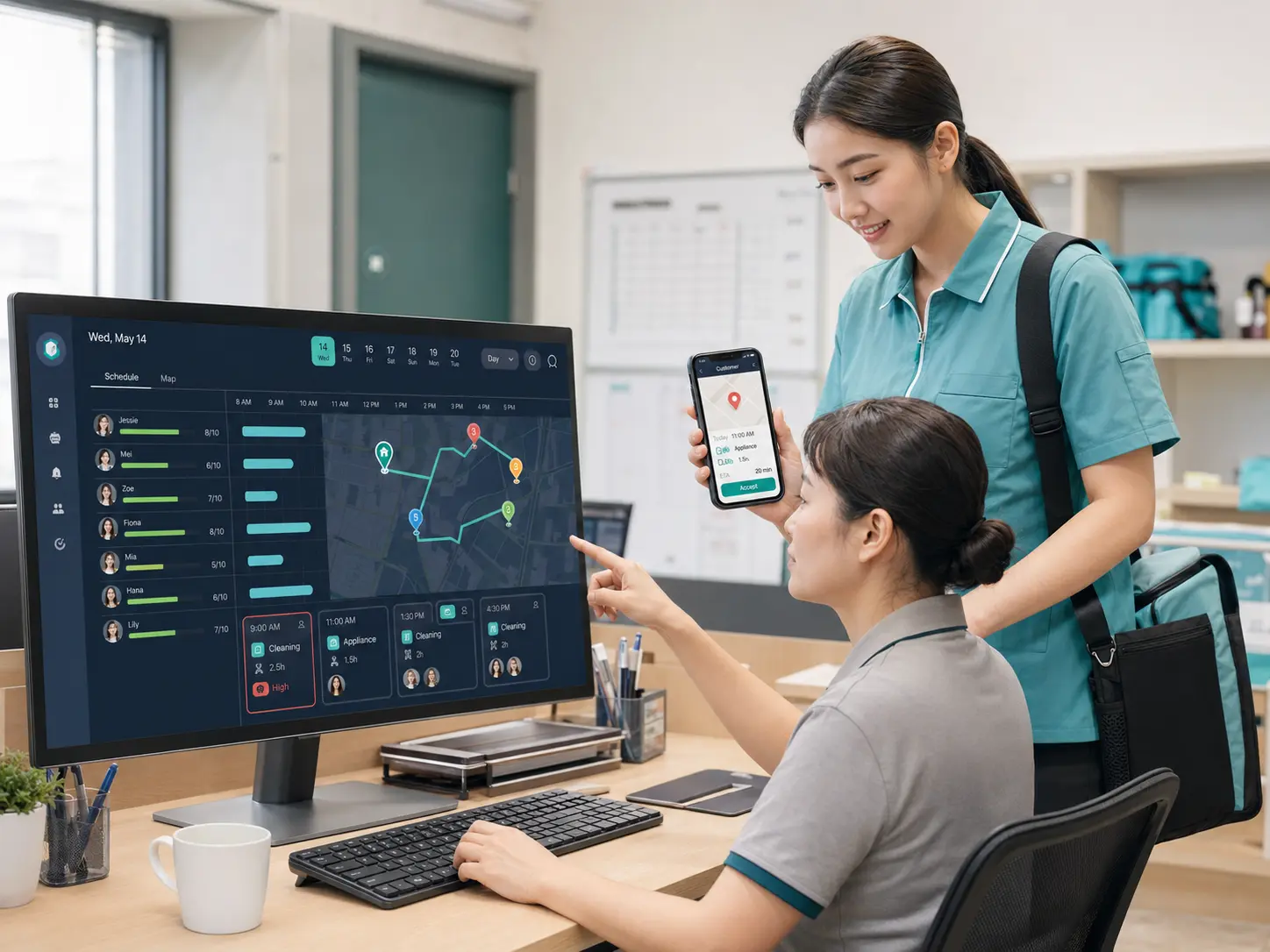
The dispatch desk puts order constraints, worker capability, coverage, shifts, current routes and travel estimates on one view. The platform suggests candidates and risks; dispatchers confirm assignments and remain responsible for operational changes.
Connect skill, training, credentials, insurance, coverage, shifts and services.
Show skill fit, distance, open window, arrival estimate and route impact.
Record the original worker, reason, customer notice, replacement and time change.
Centralize delay risk, rejection, no contact, route issues and urgent demand.
ON-SITE FULFILLMENT
The field workspace shows only the information and actions needed for the active task, connecting departure, arrival, on-site confirmation and completion. Location and images are collected only for a defined purpose, authorized scope and necessary period.

Workers confirm departure and arrival; unusual location data still requires review.
Review the service object, conditions, valuables, risks and price boundary.
Present sequence, focus, restrictions, materials and required evidence.
Route damage, unsafe conditions, changed needs and delivery blocks to people.
ADD-ON & AFTER-SALES
Not every field condition can be standardized in advance, but every change needs an explanation, price and consent. Completion is not the end: reviews, follow-up, rework, compensation and refunds remain connected to the original order and evidence.
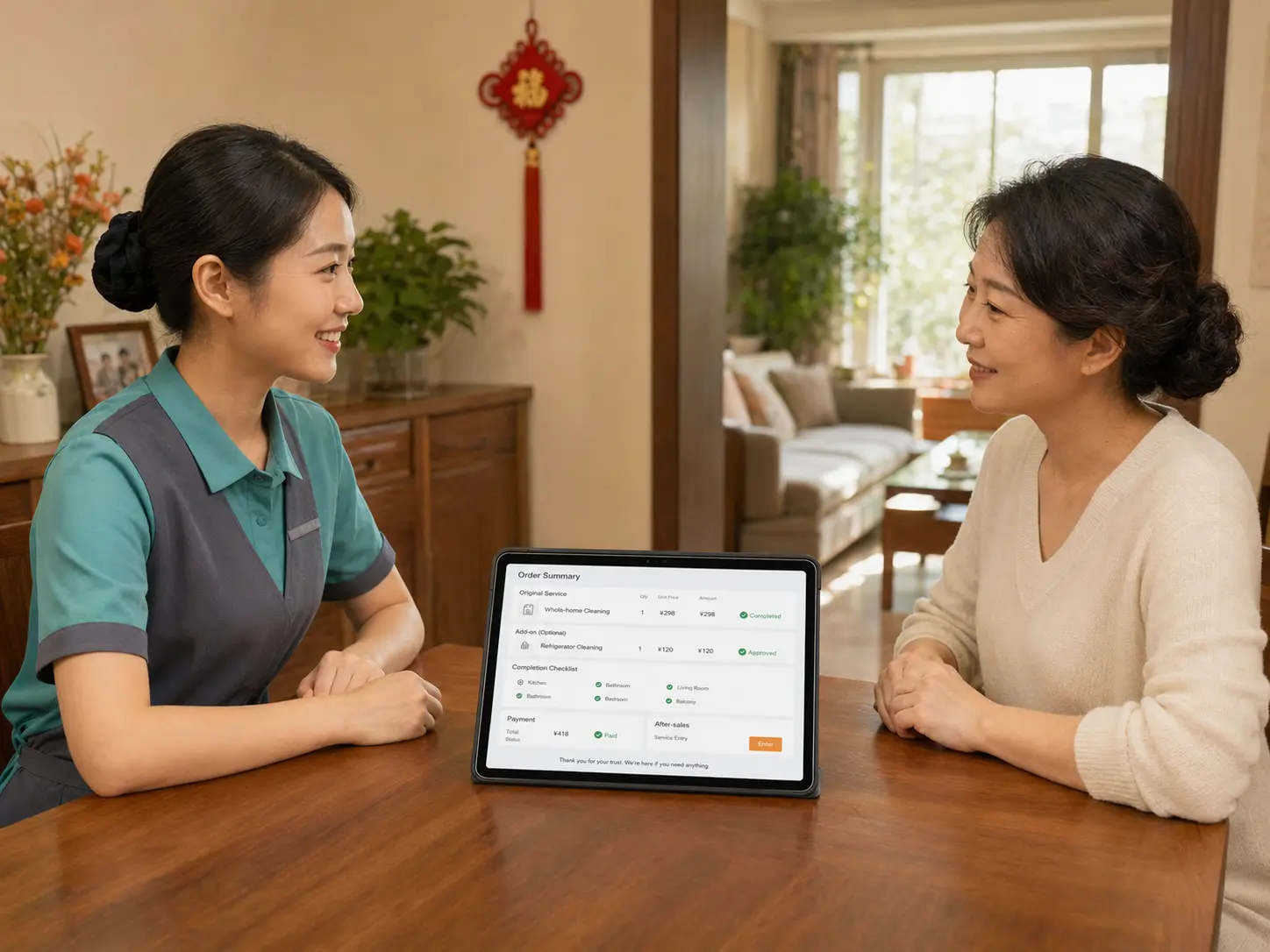
Describe the condition, proposed service, quantity, price, time and options.
Confirm the change and amount online; declining does not cancel agreed work.
Public reviews reflect experience, while follow-up verifies standards and risks.
Use orders, work records, communication and site evidence for each outcome.
DISTINCTIVE CAPABILITIES
Services, zones, branches and workers can use configurable rules, while price, standards, access and after-sales responsibility remain versioned. Historical orders keep the policies that applied when work was booked and delivered.
Adapt required fields, conditional questions and image guidance by service.
Support fixed, area, quantity, tiered and assessment-first pricing.
Create slots using zones, workers, shifts, duration and travel.
Check who can deliver and what information or action they can access.
Limit address, phone, entry and images by role, status and purpose.
Link pricing, standards, dispatch and care policies to their effective periods.
OPERATIONS CONSOLE
The console uses order facts to understand demand, capacity, fulfillment, quality and finance rather than replacing business judgment with a single rating. Every exception can return to its order, worker, branch and handling record.

APPLICATION SCENARIOS
Routine cleaning, appliance care and home organization do not share the same intake, skill, duration, pricing or confirmation model. The platform configures workflows and standards around the real service object.
Book by property, area, frequency and preference, with recurring plans.
Capture site images, renovation stage and focus areas before pricing.
Match skills and duration using appliance type, quantity and installation.
Plan phased work around space, volume, goals and privacy requirements.
Standardize brand services while branches manage zones, workers and care.
Use a community entry while routing work to qualified branches or partners.
FREQUENTLY ASKED QUESTIONS
These answers describe common workflows and product boundaries. Actual services, prices, credentials, insurance, after-sales and data policies remain subject to the service entity's disclosures and applicable local requirements.
It fits routine cleaning, deep cleaning, appliance cleaning, home organization, post-construction cleaning and other at-home services that can be standardized or confirmed on site. Each company remains responsible for defining its scope according to credentials, workforce capability, insurance and local requirements.
The customer selects a service, address, property or appliance details and preferred time slot, then reviews the pricing explanation before submitting. Services requiring inspection can begin with an assessment booking before both parties confirm the final plan and price.
The platform can present candidates and conflict warnings using service skills, coverage zones, shifts, travel time, appointment window, workload and exclusion rules. An authorized dispatcher remains responsible for the final assignment, reassignment and urgent handling.
The order can show the worker name, photo, service entity, appointment time and verification information, supported by an arrival notice or one-time code. Digital display does not replace the company's offline responsibility to verify identity, credentials and insurance.
The worker first explains the add-on, quantity, price and expected impact. Work begins only after the customer confirms it in the mini program. Unconfirmed items should not be charged, and every change stays linked to the original order with time and operator records.
The customer can submit the issue, images and requested outcome from the order. The case then follows the applicable standard, time window and responsibility rules for review, rework, compensation or refund, while retaining communication, action and decision records.
Yes. Coverage, services, workforce, prices, settlement and access can be configured by brand, owned branch, franchise or partner provider. Service responsibility, customer notice, data access and financial boundaries must remain explicit for every entity.
No. AI may assist with order information extraction, candidate suggestions, exception classification and follow-up summaries. Dispatch approval, price changes, refunds, compensation and liability decisions remain with authorized people using business evidence.
BUILD YOUR HOME SERVICE NETWORK
Share your services, coverage, workforce model, pricing and after-sales rules. We will map the customer, field worker, dispatch and operations experiences around those facts.